Hansard is the memory layer under every agent you use. Conversations and memories from Claude Code, Codex, Cursor, 45 other agents, ChatGPT, and Claude.ai live in one record on your computer, so each agent you connect can reach the context the others built.
Free for macOS and Windows. Also on npm for the command line.
hansardv0.6.4
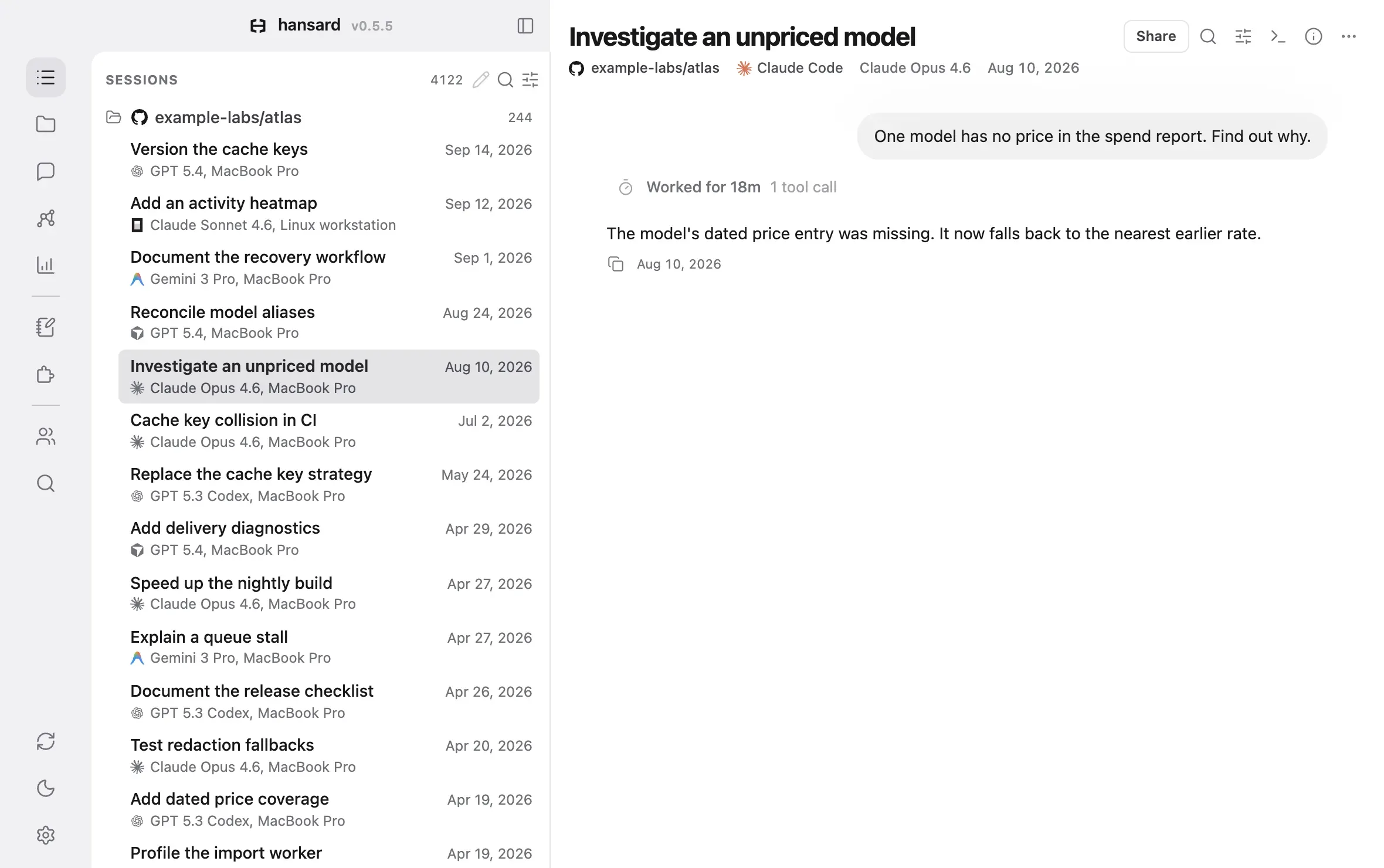
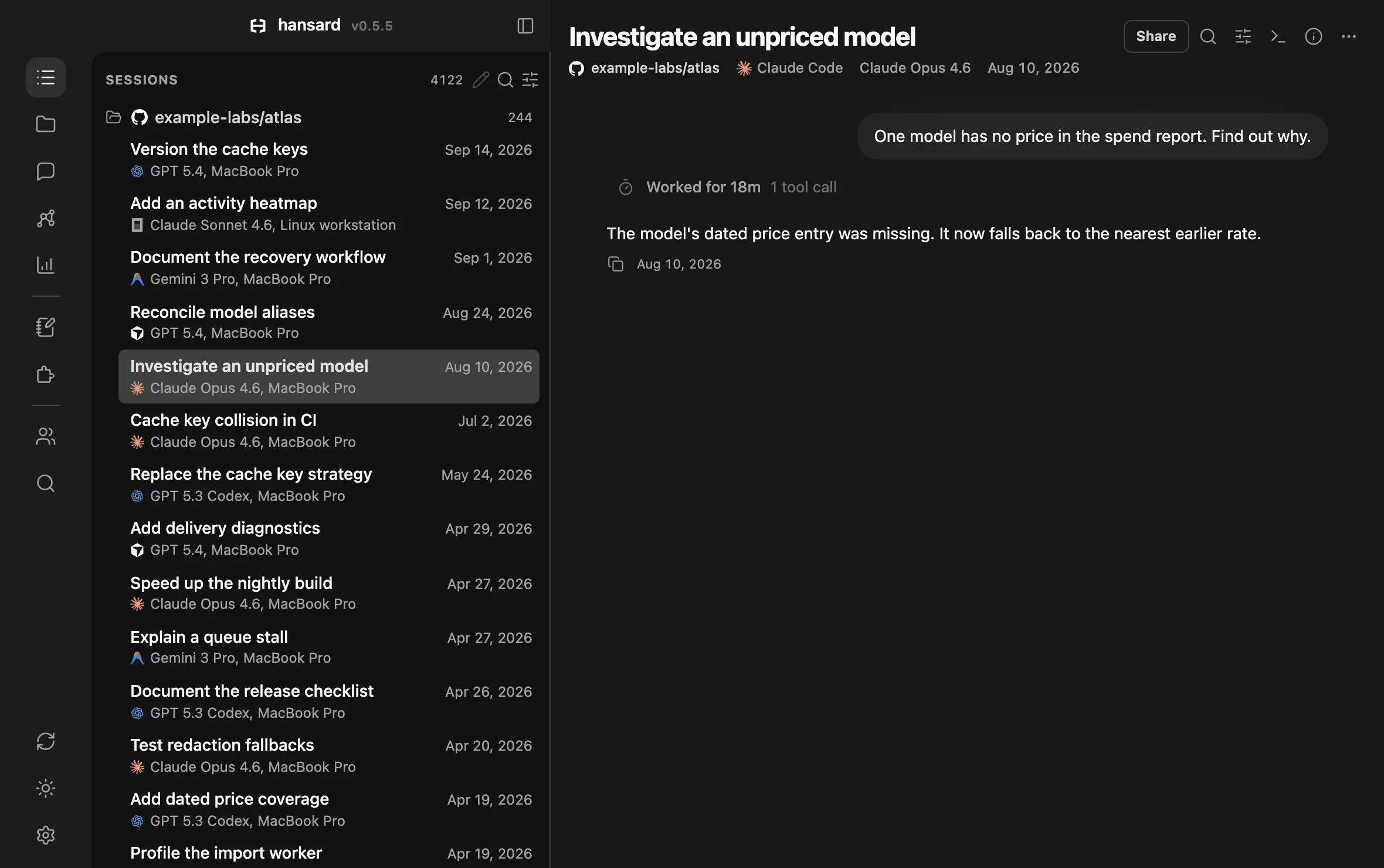
SessionsSearch results4,1225
Search conversations...
example-labs/atlas244
Pin the lockfile hash in cache keys9:41 AMClaude Opus 4.6, MacBook Pro
Version the cache keysSep 14, 2026GPT 5.4, MacBook Pro
Add an activity heatmapSep 12, 2026Claude Sonnet 4.6, Linux workstation
Document the recovery workflowSep 1, 2026Gemini 3 Pro, MacBook Pro
Reconcile model aliasesAug 24, 2026GPT 5.4, MacBook Pro
Investigate an unpriced modelAug 10, 2026Claude Opus 4.6, MacBook Pro
Cache key collision in CIJul 2, 2026Claude Opus 4.6, MacBook Pro
Replace the cache key strategyMay 24, 2026GPT 5.3 Codex, MacBook Pro
Add delivery diagnosticsApr 29, 2026GPT 5.4, MacBook Pro
Speed up the nightly buildApr 27, 2026Claude Opus 4.6, MacBook Pro
Explain a queue stallApr 27, 2026Gemini 3 Pro, MacBook Pro
Document the release checklistApr 26, 2026GPT 5.3 Codex, MacBook Pro
Test redaction fallbacksApr 20, 2026Claude Opus 4.6, MacBook Pro
Conversations
Pin the lockfile hash in cache keys9:41 AM/home/user/projects/atlasClaude Code
Cache keys for a pnpm monorepoSep 19, 2026ChatGPT, personalChatGPT
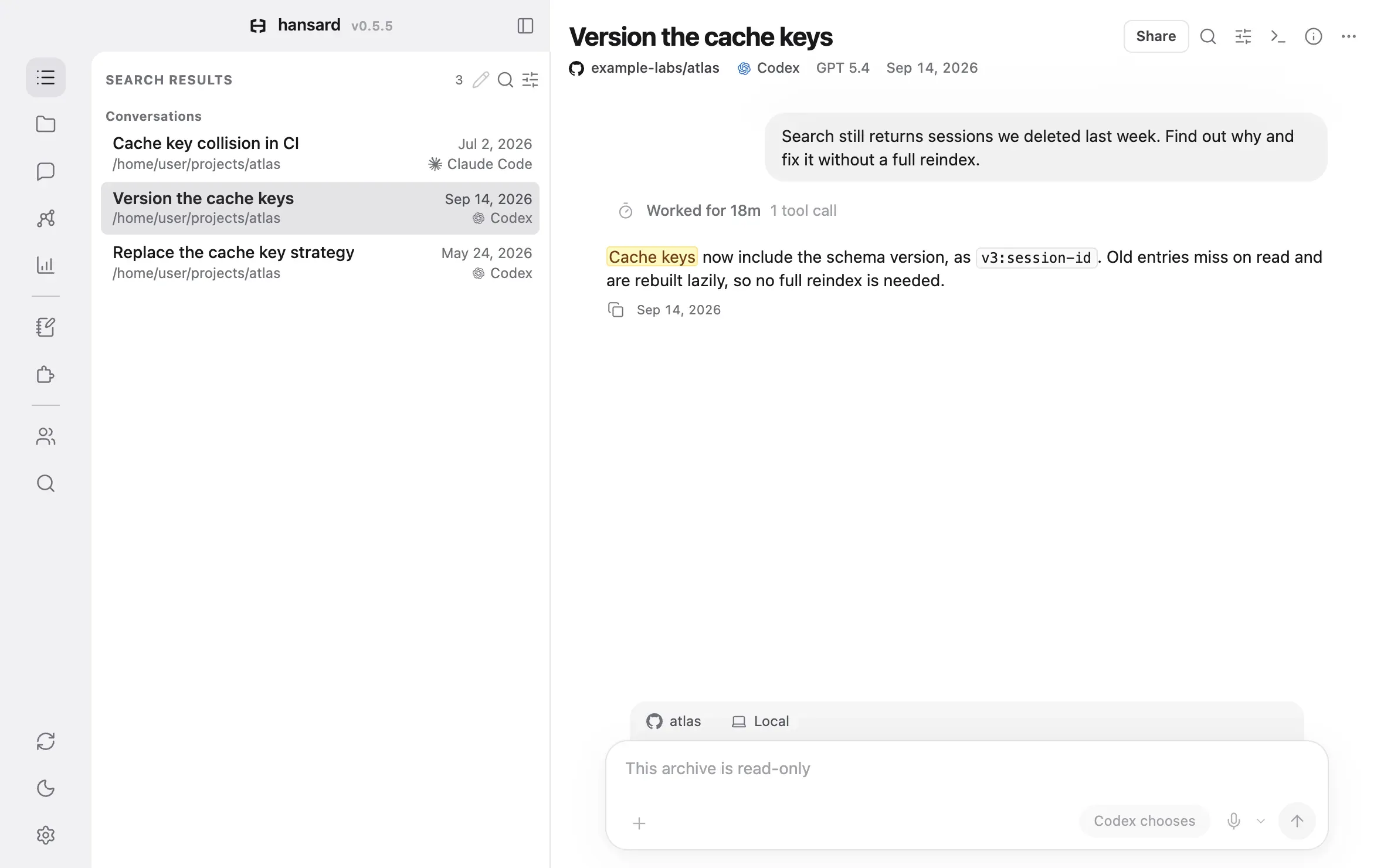
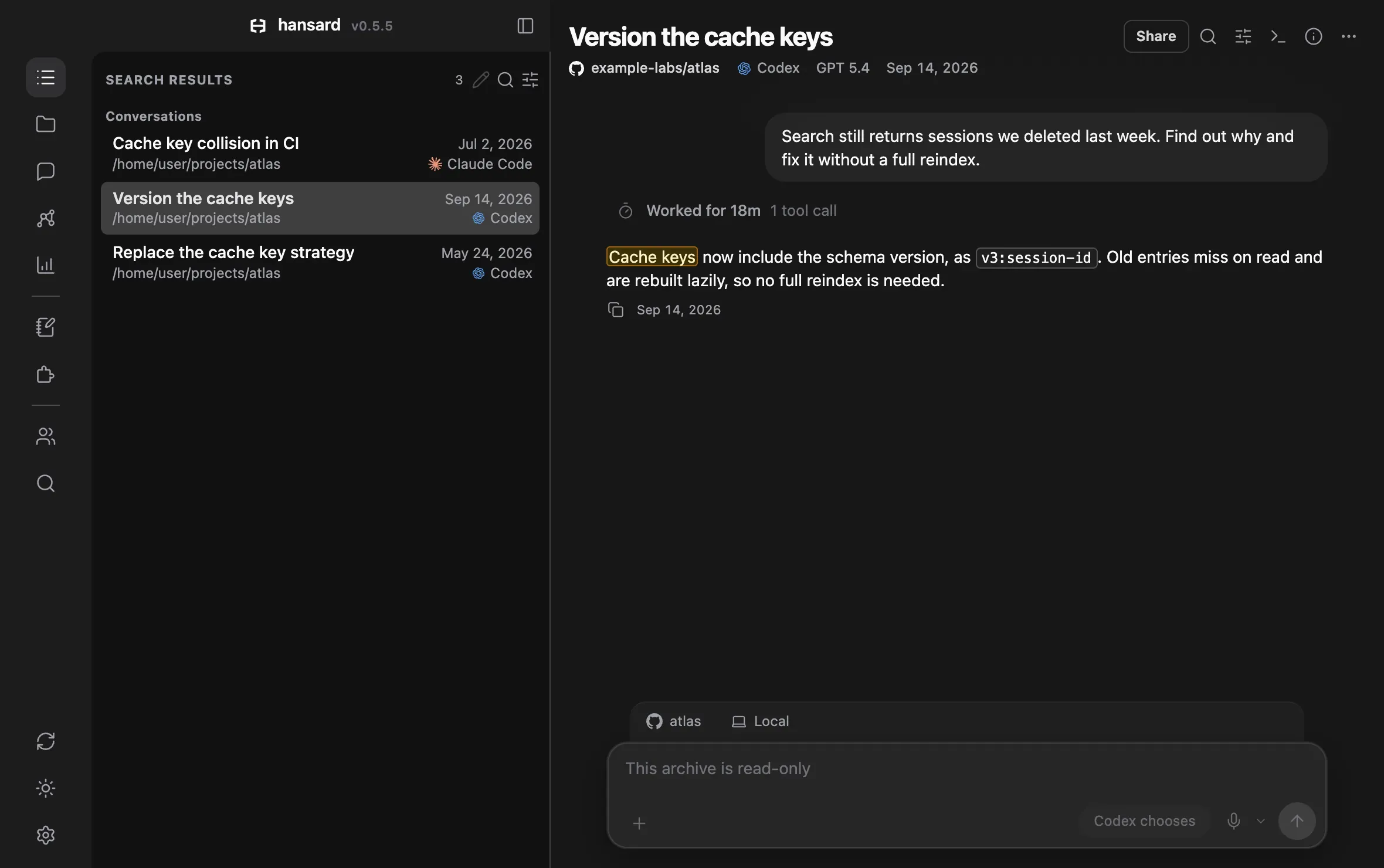
Version the cache keysSep 14, 2026/home/user/projects/atlasCodex
Cache key collision in CIJul 2, 2026/home/user/projects/atlasClaude Code
Replace the cache key strategyMay 24, 2026/home/user/projects/atlasCodex
Version the cache keysexample-labs/atlasCodexGPT 5.4Sep 14, 2026
Share
Search still returns sessions we deleted last week. Find out why and fix it without a full reindex.
Worked for 18m1 tool call
Cache keys now include the schema version, as v3:session-id. Old entries miss on read and are rebuilt lazily, so no full reindex is needed.
Sep 14, 2026
atlasLocal
Reply to Codex…
Cache key collision in CIexample-labs/atlasClaude CodeClaude Opus 4.6Jul 2, 2026
Share
The lint and test jobs keep restoring each other's dependencies. Find out which keys clash.
Worked for 9m4 tool calls
Both jobs built the cache key from the branch name alone. Each key now adds the job name and the lockfile hash, so lint and test no longer share an entry.
Jul 2, 2026
atlasLocal
Reply to Claude Code…
2023202420252026Today
AccountsFirst conversation, Dec 12, 2022
ChatGPT personal1,406
Dec 2022 to today
ChatGPT work512
Apr 2023 to today
Claude.ai644
Jul 2023 to today
MacBook Pro
Cursor318
Oct 2023 to today
Claude Code41 left
Feb 2025 to today, older conversations deleted after 30 daysDeleted after 30 days
Codex CLI402
Apr 2025 to today
Antigravity96
Nov 2025 to today
Linux workstation
Aider58
Jun 2023 to Mar 2025
Gemini CLI77
Jun 2025 to Mar 2026, retiredRetired
OpenCode64
Jul 2025 to today
Grok Build17
Jul 2026 to today
Cloud agents
Devin31
Dec 2024 to today
Codex cloud88
May 2025 to today
Jules23
May 2025 to today
Deleted from Claude Code, kept here
claude~/projects/atlas
● Searching Hansard for "cache keys" in example-labs/atlas 3 conversations from Codex and Claude Code
Atlas keys its search cache by schema version and session id. The change landed on Sep 14, after rows from before the Sep 9 schema change kept deleted sessions in results [1]. Old keys miss on read and rebuild lazily, so no full reindex was needed.
Earlier, CI jobs stopped sharing keys in July [2], and keys moved to the session id in May [3].
[1]Version the cache keysCodex, Sep 14, 2026
[2]Cache key collision in CIClaude Code, Jul 2, 2026
[3]Replace the cache key strategyCodex, May 24, 2026
1
Scattered
Years of history across accounts, computers, and cloud agents.
2023202420252026Today
AccountsFirst conversation, Dec 12, 2022
ChatGPT personal1,406
Dec 2022 to today
ChatGPT work512
Apr 2023 to today
Claude.ai644
Jul 2023 to today
MacBook Pro
Cursor318
Oct 2023 to today
Claude Code41 left
Feb 2025 to today, older conversations deleted after 30 daysDeleted after 30 days
Codex CLI402
Apr 2025 to today
Antigravity96
Nov 2025 to today
Linux workstation
Aider58
Jun 2023 to Mar 2025
Gemini CLI77
Jun 2025 to Mar 2026, retiredRetired
OpenCode64
Jul 2025 to today
Grok Build17
Jul 2026 to today
Cloud agents
Devin31
Dec 2024 to today
Codex cloud88
May 2025 to today
Jules23
May 2025 to today
2
Filed
One archive on your machine, kept after providers delete theirs.
3
Found
Any agent you connect finds what the others did, in every harness and year.
4
Recalled
Your agent reads the record, from your chats or your code, and cites it.
claude~/projects/atlas
/recall why does atlas version its cache keys?
● Searching Hansard for "cache keys" in example-labs/atlas 3 conversations from Codex and Claude Code
Atlas keys its search cache by schema version and session id. The change landed on Sep 14, after rows from before the Sep 9 schema change kept deleted sessions in results [1]. Old keys miss on read and rebuild lazily, so no full reindex was needed.
Earlier, CI jobs stopped sharing keys in July [2], and keys moved to the session id in May [3].
[1]Version the cache keysCodex, Sep 14, 2026
[2]Cache key collision in CIClaude Code, Jul 2, 2026
[3]Replace the cache key strategyCodex, May 24, 2026
One layer under every agent.
Everything else Hansard does builds on that one archive.
Context from every agent.
Your coding agents can read what you worked out in ChatGPT or Claude.ai, and Claude Desktop can read your coding conversations and memories. They reach it through one search across every agent, account, and computer, by words or by meaning.
When did the atlas cache strategy change, and was the earlier approach dropped?
Searched 4,122 conversationsRead 6 sessions in example-labs/atlasFollowed a later reversal
Atlas moved from stable keys to versioned keys on Sep 14, after stale index rows kept deleted sessions in search [1]. The May approach was replaced rather than extended, and the reindex boundary is recorded [2].
[1]Version the cache keys, Sep 14[2]Replace the cache key strategy, May 24
Stats for how you work.
Tokens, spend, and plan limits across every harness, and which model gets the best results for what it costs.
Claude Code deletes a local transcript after 30 days by default. Hansard imports each conversation as the agent writes it and keeps the original files.
Hansard keeps the conversations and memories of your AI agents in one archive on your computer, so each agent you connect can reach the context the others built. Your coding agents can read your ChatGPT and Claude.ai chats, and Claude Desktop can read your coding conversations and memories, through Hansard's MCP tools. You can browse the same archive in the app.
Which agents does Hansard work with?
Claude Code, Codex, Cursor, and the other coding agents listed above, plus ChatGPT and Claude.ai exports and the chats the browser extension saves. Each agent has a harness guide that says what Hansard reads.
Does Hansard send my conversations anywhere?
The archive stays on your computer, and the app sends no analytics. Some features send data when they run: work classification sends a digest of each finished conversation through your signed-in Claude or Codex CLI, and Personal Sync, Teams, and Slack send nothing until you set them up. What leaves your machine lists every case.
What happens when an agent deletes its own history?
Hansard keeps its copy. It imports each conversation as the agent writes it and keeps the original files, so a conversation stays in the archive after Claude Code's 30-day cleanup, a reinstall, or a reset app database.
How do my agents use the archive?
Hansard installs an MCP server and recall skills in each agent you allow, Claude Desktop included. Ask your agent what was decided about a feature, or to continue an earlier conversation, and it searches the archive, reads the right conversation, and cites it. Chats in a browser, such as ChatGPT on the web, cannot reach these tools, because they run on your computer.
What does Hansard cost?
Hansard is free and MIT licensed. Features that ask a model, such as classification and Deep Recall, run through the Claude or Codex CLI you already use, so they count toward that plan.